Guide
Settings
Your ways to sign in, your glasses, Telegram, and exactly what one tap on the lens does.
usesoba.xyz/app
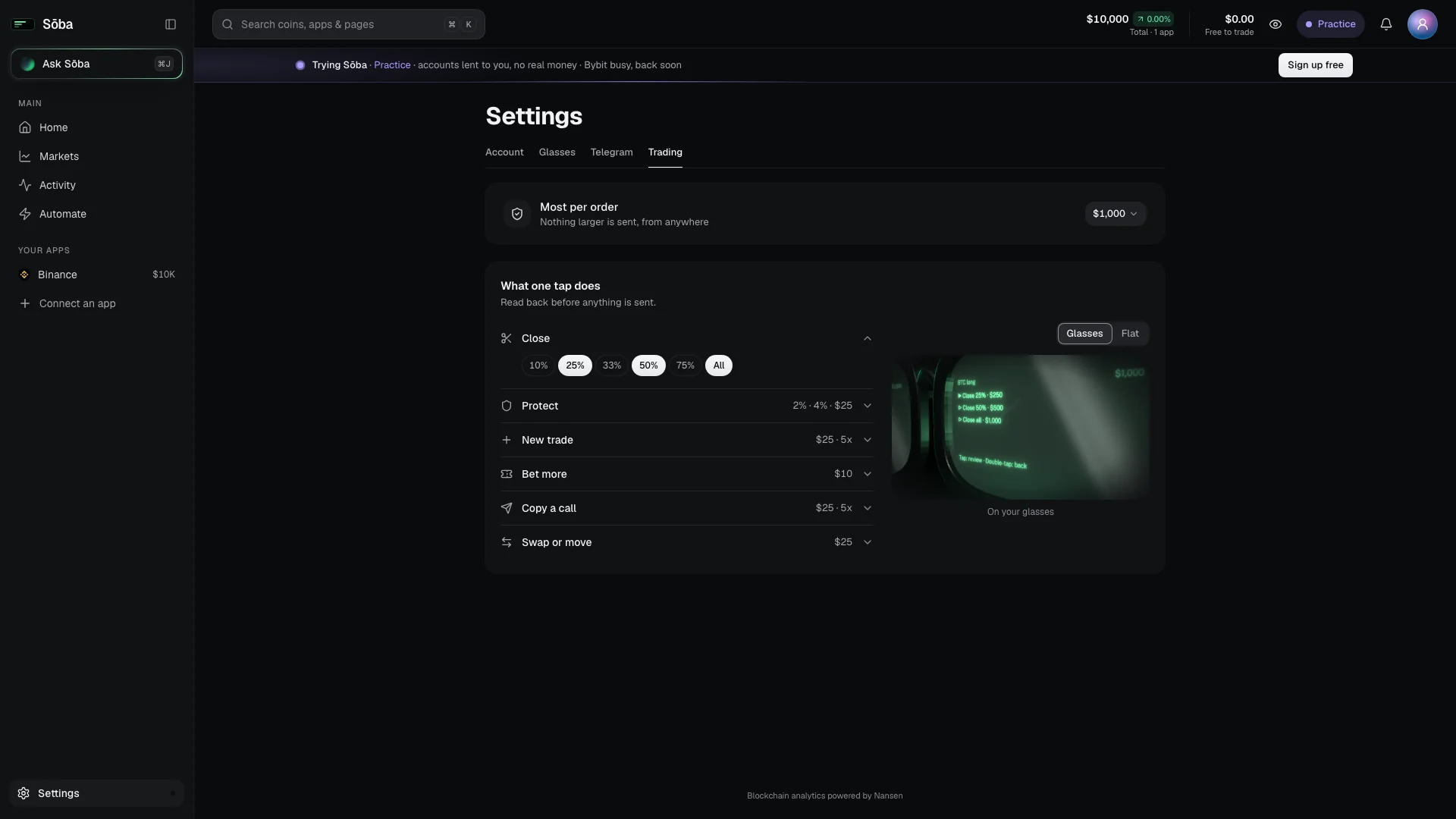
Settings has four tabs: Account · Glasses · Telegram · Trading.
| Tab | What's there |
|---|---|
| Account | Ways to sign in (email code, wallets, Google and Telegram when enabled; "Add a second so you never get locked out."), signed-in browsers with Sign out everywhere else, delete account |
| Glasses | A live lens (3D or flat), on/off, Linked pairs with "On now" / "Last seen", Link another pair, and Unlink ("It goes back to showing a code; your apps stay connected.") |
| Telegram | Connect Telegram with a QR or one-time link, then Read my calls, Trade receipts, Alerts, Daily summary and its hour. Telegram → |
| Trading | Most per order: $100 · $250 · $500 · $1,000 · $2,500 · $5,000 (default $1,000; "Nothing larger is sent, from anywhere"). What one tap does: the preset sizes the lens offers for Close, Protect (stop, target, margin), New trade, Bet more, Copy a call, Swap or move |
The lens presets out of the box: close 25 / 50 / 100%, margin $25, stop 2%, target 4%, a new trade of $25 at 5×, a $25 swap, sell a bet 50 / 100%, buy $10 more.
Try guests see Trading only; Account, Glasses and Telegram ask you to sign up first.