Your eight apps
Futures, predictions, exchanges and wallets in one glance, each connected with keys that can trade and never withdraw.
 Hyperliquid
 Polymarket
 Gram Wallet
 Trust Wallet
 Binance
 Bybit
 OKX
 Coinbase
Sōba connects Hyperliquid, Polymarket, Gram Wallet, Trust Wallet, Binance, Bybit, OKX and Coinbase. Each one shows up on the lens, on the website and in Telegram with the same numbers. Each surface offers the actions it can do: a claim and connecting an app finish on the website, the website can't copy a Telegram call, and Telegram answers shortcut proposals and copies calls but sends other actions to the website to review. You connect only the apps you use.
At a glance
| App | Kind | Connects with | Sōba reads | You can do | Practice |
|---|---|---|---|---|---|
| Hyperliquid | Futures | Your wallet approves a trade-only key, or just the address for read-only | Positions, orders, TWAPs, fills, spot coins, account total, Earn | Open (market, limit, stop, TWAP), close, margin, stop, target, leverage, cancel, spot swap, spot ⇄ perps move | Testnet |
| Polymarket | Predictions | Your profile, then a session key your wallet authorises | Bets, live odds, pUSD balance, open orders | New bet (market or limit), sell, buy more, cancel; claim on the website | None |
| Gram Wallet | Wallet | TON Connect | TON and tokens, history, Tonstakers | Send, swap TON ⇄ USD₮, stake — each approved in your wallet | TON testnet |
| Trust Wallet | Wallet | WalletConnect | Balances on 5 networks, P/L, history, Aave and Lido | Send, swap, earn — each approved in Trust | Testnets |
| Binance | Exchange | API key, locked to Sōba's server to trade | USDT-M positions, orders, fills, spot | Open, close, margin, stop, target, leverage, cancel, spot swap, Simple Earn | Demo Trading |
| Bybit | Exchange | API key | Positions, orders, fills, spot, Funding wallet | Open, close, margin, stop, target, leverage, cancel, spot swap, Funding → trading, Flexible Saving | Demo Trading |
| OKX | Exchange | API key and passphrase | Positions, orders, fills, spot, Funding wallet | Open, close, margin, stop, target, leverage, cancel, spot swap, Funding → trading | Demo Trading |
| Coinbase | Exchange (spot) | Coinbase Developer Platform key | Portfolio total and coins | Spot buy and sell | None |
What each app allows
The same capability list drives the lens, the website, voice and Telegram, so an action never shows up where the app can't do it.
| Action | Hyperliquid | Binance | Bybit | OKX | Polymarket | Coinbase | Gram, Trust |
|---|---|---|---|---|---|---|---|
| Open a position | ✓ | ✓ | ✓ | ✓ | — | — | — |
| Close, stop, target, margin, leverage, cancel | ✓ | ✓ | ✓ | ✓ | cancel | — | — |
| Copy a Telegram call | ✓ | ✓ | ✓ | ✓ | — | — | — |
| Bet, claim | — | — | — | — | ✓ | — | — |
| Swap | ✓ | ✓ | ✓ | ✓ | — | ✓ | ✓ |
| Move between spot and trading | ✓ | Real | Real | Real | — | — | — |
| Add money | ✓ | Real | ✓ | ✓ | ✓ | at Coinbase | ✓ |
| Earn | Real | Real | Real | — | — | — | Real |
| Send | — | — | — | — | — | — | ✓ |
Entry types differ: Hyperliquid has market, limit, stop and TWAP; Binance, Bybit and OKX have market, limit and stop. Take-profit and stop ride with market, limit and stop entries (not TWAP); on Binance, with market entries only.
How connecting works
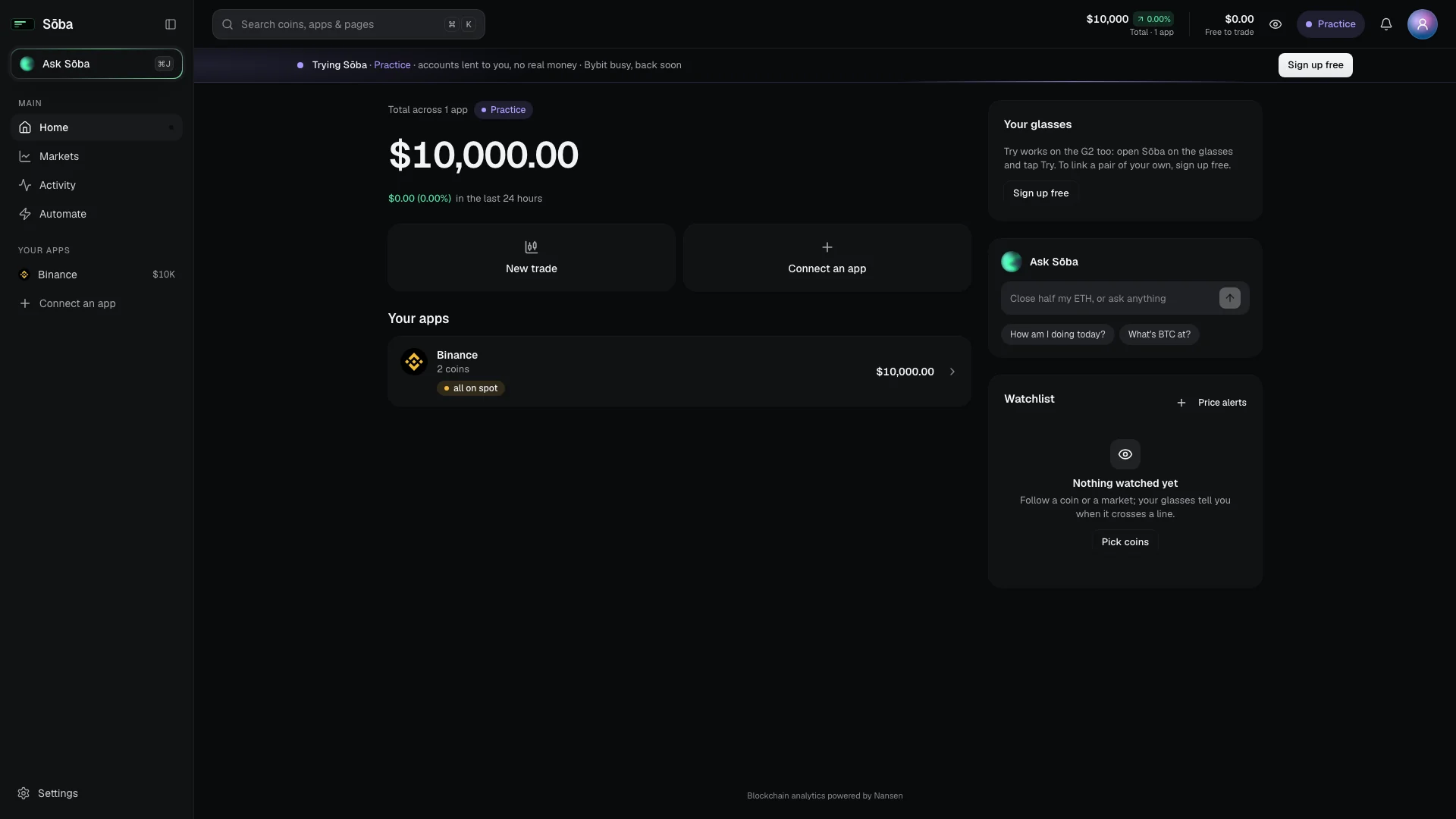
- Connect an app lists all eight with their kind. The dialog says it plainly: "Sōba can trade with your keys, never withdraw."
- Keys are checked live before anything is saved: the key works, it is Real or Demo Trading, it can trade, and it can't withdraw. A Real exchange key that can withdraw is refused.
- One Real and one Practice login per app. Connecting again replaces the old one.
- Trading on / Trading paused sits on every app's Settings tab. Paused shows the numbers and sends nothing.
- Most per order is one cap for every surface: $100 to $5,000, $1,000 by default. Closing a position is never capped.
- Disconnect deletes Sōba's copy of the key in the same step. Hyperliquid also offers Disconnect and revoke.
Who holds what
Every key Sōba keeps is encrypted on the server with AES-256-GCM under its own data key, wrapped by a master key that is never in the database. The glasses plugin holds no keys at all.
Add money
Add money opens from an app's header, a trade ticket, a readiness line or Ask Sōba. It shows where your money is, then the shortest way to get more where trades spend it:
| Route | Where | How |
|---|---|---|
| Move inside the app | Bybit and OKX Funding → trading, Hyperliquid spot → perps, Binance spot → futures (Real) | Read back, then one Confirm |
| Practice top-up | Bybit 10,000 USDT (one a minute), OKX 5,000 USDT (three a day); Hyperliquid Testnet and TON testnet coins come from their own faucets | Read back, then one Confirm |
| Deposit address | Exchanges by coin and network, Polymarket's bridge, your wallet's address | QR and Copy address; Sōba watches for 30 min and says "Arrived" here and on the glasses |
| At the app | Where only the app itself can do it, such as Binance Demo Trading | Numbered steps and Check again |
What Sōba never does
No withdrawals from Hyperliquid, Polymarket or any exchange, and no moving money between apps; voice refuses both. The only outbound move is a wallet Send, and your wallet approves it. Earn is Real only. Polymarket and Coinbase have no Practice account. OKX has no Earn in Sōba.