Shortcuts
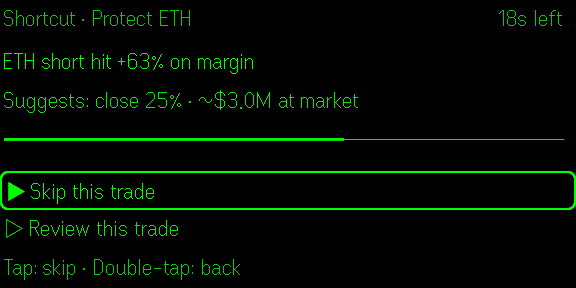
When this happens, do that: Sōba watches your rules on its server with nothing open, and asks you on the glasses before any trade.
A shortcut is a rule: when something happens, do something. Sōba's server watches every armed shortcut even when no page and no glasses are open. A notice just tells you; a trade is always proposed first and runs only on your yes.
Build one in three steps
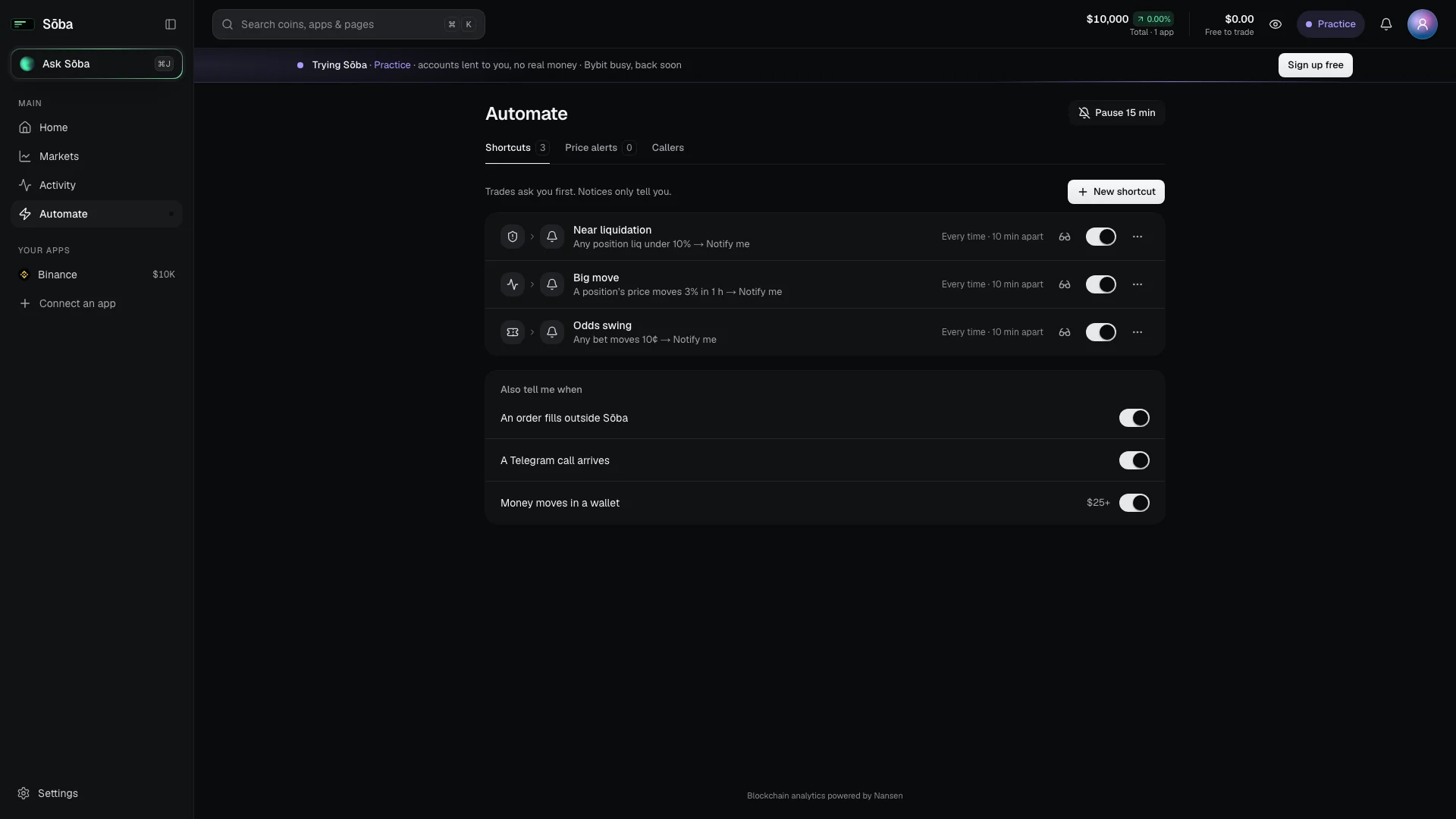
New shortcut opens a builder with the whole rule as a sentence on top:
When. Start from My own rule or a template, then pick the condition.
Do. Only actions that fit the condition are offered. Then How often (Every time or Once, then off), at most every 5 min, 15 min, 1 h, 4 h or 24 h, and Asks on: Glasses, else Telegram (the default), Glasses and Telegram, Telegram only or Glasses only. "You confirm before anything is sent."
Name (up to 40 characters), with a live preview of the lens When it fires. Save shortcut.
Every saved shortcut has Test on your glasses: the frame arrives marked as a test, and its action sends nothing.
When
| Condition | Fits these actions |
|---|---|
| Liquidation gets close | Notify me, Close part, Add margin, Move money, Cancel the rest |
| ROI crosses a line · PnL crosses a line | Notify me, Close part, Stop to entry, Set a stop, Set a target |
| Funding costs too much | Notify me, Close part |
| An order fills | Notify me, Set a stop, Set a target |
| A coin's price crosses a line | Notify me, Close part, Stop to entry, Set a stop, Set a target, Cancel the rest, Buy or sell spot |
| A sudden move (X% within up to 240 min) | Notify me, Close part, Set a stop, Cancel the rest |
| A bet's odds | Notify me, Sell the bet, Buy more of it |
| An app's balance (total or free) | Notify me, Move money |
| I say a phrase | All positions, Close part, Stop to entry, Set a stop, Set a target, Cancel the rest |
Do
| Action | What it proposes |
|---|---|
| Notify me | A notice only |
| Close part · Stop to entry · Set a stop · Set a target · Add margin · Cancel the rest | That change on the position that triggered it |
| Buy or sell spot · Move money | A spot swap, or Hyperliquid spot ⇄ perps |
| Sell the bet · Buy more of it | A Polymarket sell or top-up |
| All positions | Add missing stops, Add entry stops or Close all positions, across every app, in one read-back. Offered only for I say a phrase ("protect all"). |
Templates
Sixteen, in seven groups (Protect, Take profit, Market, Orders, Wallets, Bets, Voice): Protect positions, Margin before liquidation, Top up perps, Keep money to trade, Stop at entry, Close 50%, Set a target, Sudden move, Price line, Funding drain, Stop after a fill, Fill alert, Low balance, Sell bet at set price, Odds swing, Protect all by voice.
Every account starts with three notify-only starters: Near liquidation (within 10% by default; 5, 10, 15, 20 or 30), Big move (3% within 60 min) and Odds swing (10¢ by default; 5, 10 or 20).
How a shortcut runs
| Rule | Value |
|---|---|
| Watched | On the server, with nothing open; prices sampled every 20 s; a 30 s warm-up after arming |
| Proposal lifetime | 30 s for an order at market, 60 s for anything else, then "Request expired · nothing sent" |
| Skipped when | Alerts are paused, the money isn't there, or there's nowhere to ask |
| Where you answer | A tap on the lens, or Do it / Skip in Telegram; re-checked at confirm |
| Cooldown | 5 min by default (5 min, 15 min, 1 h, 4 h, 24 h) |
| Limit | 30 shortcuts per account |
| Made from | The website, a template or voice ("when I say protect all…"); the phone page switches them on and off |
| Every outcome | Proposed, filled, partly filled, failed, expired, skipped or notified, kept in Activity |
On the lens, More ▸ Shortcuts lists each rule with ■ or □; switching one on or off happens on the phone page, the website or by voice.